

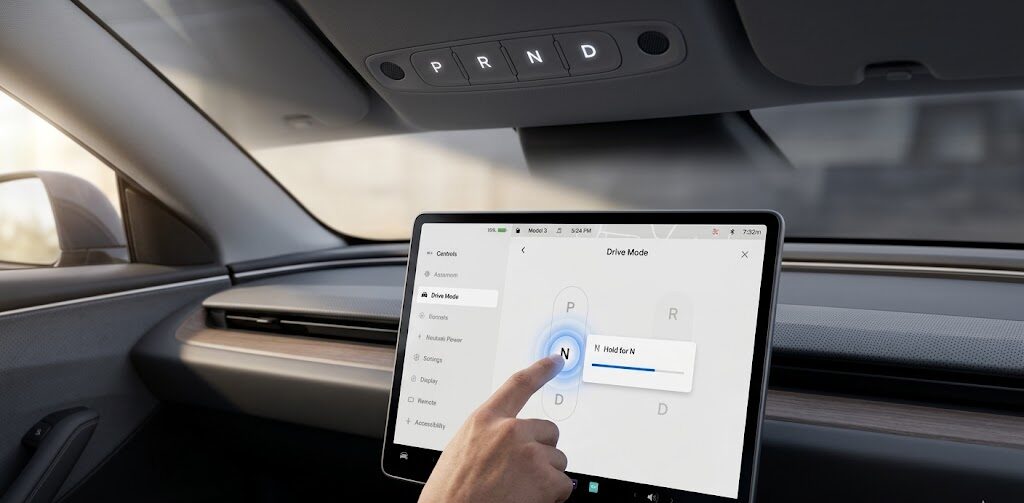
Putting a Tesla Model 3 in neutral is one of the few tasks that changed significantly with the 2024 “Highland” update. Whether you are entering an automated car wash or preparing for a tow, the method depends entirely on whether your car has physical stalks or the new digital-first interface.
1. The Modern Method: Stalkless (2024–2026 Highland)
If your steering column is empty (no gear stalk), you have two primary ways to engage Neutral.
Method A: The Touchscreen (Primary)
-
Bring the vehicle to a complete stop.
-
Tap the Car Icon (Controls) in the bottom corner.
-
On the Drive Mode Strip (the vertical bar on the left), press and hold the “N” icon until it turns blue/amber.
-
Note: Simply tapping “N” won’t work; a long press is a safety feature to prevent accidental shifting.
-
Method B: The Overhead Console (Backup)
If your touchscreen is unresponsive, look up at the ceiling between the sun visors.
-
Tap the Overhead Gear Selector area to wake the LEDs.
-
Press the “N” button. The letter will illuminate to confirm you are in Neutral.
2. The Classic Method: Stalk-Based (2017–2023)
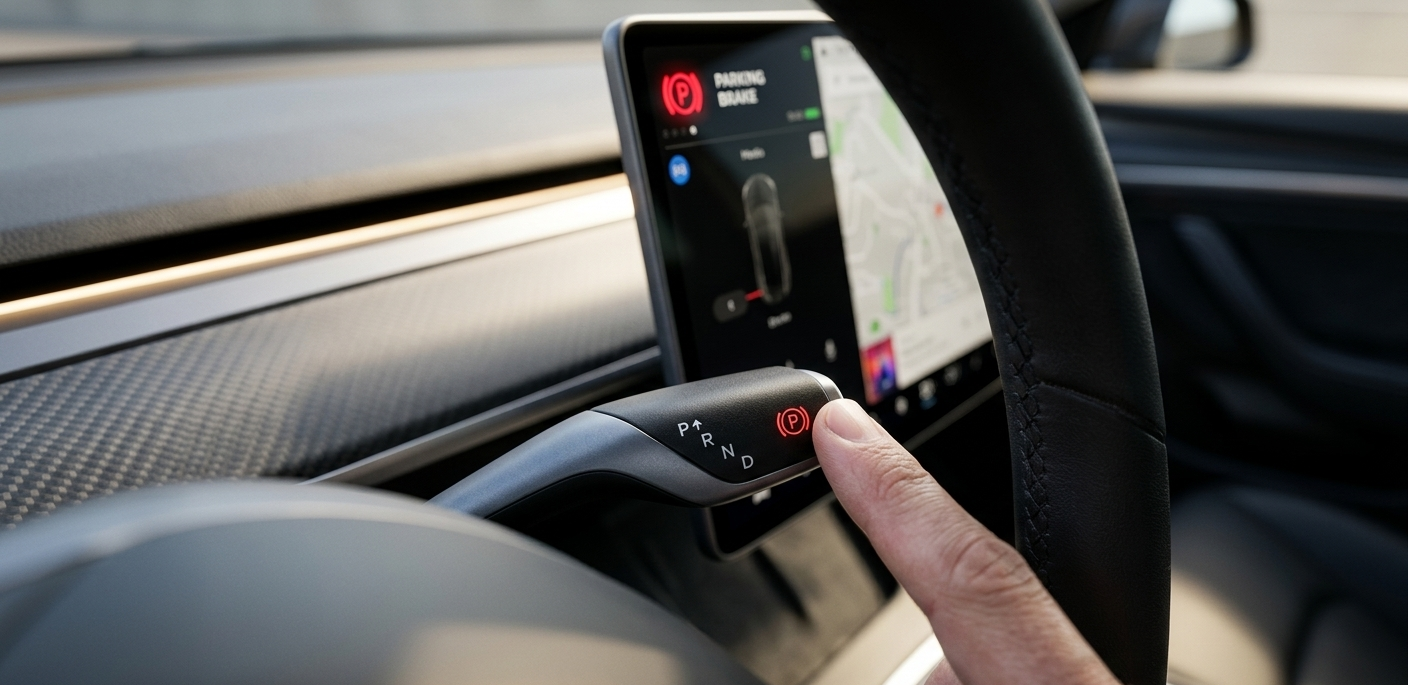
For the original Model 3 design, Neutral is accessed through a “half-press” of the right-hand gear stalk.
-
From Park or Drive: Push the stalk upward gently to the first detent (the first “click” feeling) and hold it for one second.
-
From Reverse: Push the stalk downward gently to the first detent and hold.
-
Confirmation: A large “N” will appear on the top-left of the touchscreen.
3. Neutral for Car Washes vs. Towing
Understanding the difference between these modes is critical to avoid “Emergency Braking” during a wash.
For Automated Car Washes (Car Wash Mode)
Don’t just shift to Neutral. Use Car Wash Mode to prevent the wipers from activating and the charge port from opening.
-
Go to Controls > Service > Car Wash Mode > Enable.
-
To roll freely, press the brake and tap Enable Free Roll. This keeps the car in Neutral even if you lift your weight off the driver’s seat.
For Towing (Transport Mode)
If your Tesla needs to be winched onto a flatbed, “Standard Neutral” will automatically switch back to Park if you leave the car.
-
Go to Controls > Service > Towing.
-
Press and hold the Transport Mode button until it turns blue. This disengages the electronic parking brake indefinitely (until you shift back to Park).
FAQs: Mastering Tesla’s Neutral Gear
Q: Why does my Tesla shift back to Park when I open the door in Neutral?
A: This is a safety feature to prevent the car from rolling away. To stay in Neutral while exiting, you must use “Car Wash Mode” with “Free Roll” enabled or “Transport Mode.”
Q: Can I put my Tesla in Neutral while driving?
A: Yes, but only in emergencies. If you hold the stalk (classic) or the “N” on the screen (Highland) while moving, the car will cut power to the motors. This is rarely necessary as regenerative braking handles most deceleration needs.
Q: Does Neutral save battery while coasting?
A: No. Unlike a gas car, “coasting” in Neutral in a Tesla is actually less efficient because it disables Regenerative Braking, which would otherwise put energy back into your battery.


Leave a Reply