

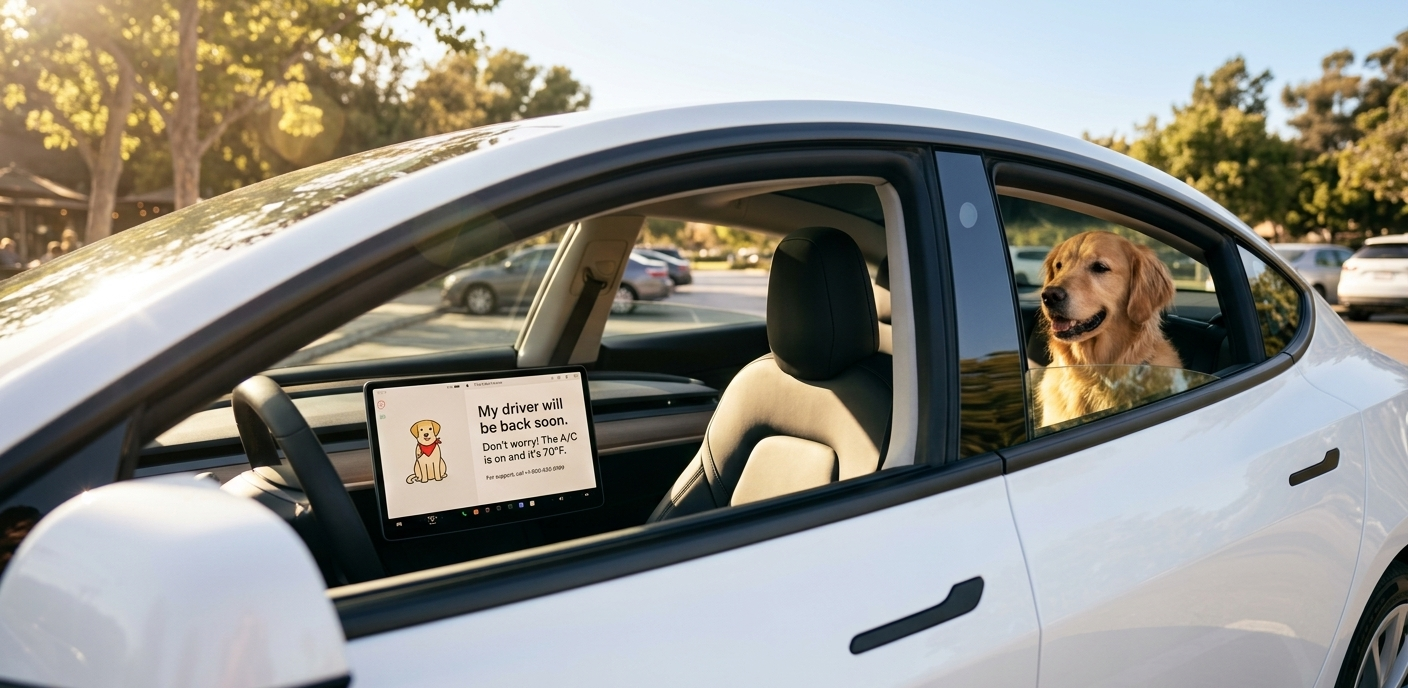
Tesla’s Dog Mode is more than a convenience; it is a life-saving climate feature that allows you to leave your pet in the car while maintaining a safe, climate-controlled environment. With the 2026 software updates, Tesla has added even more ways to monitor your “co-pilot” from afar.
1. How to Activate Dog Mode (3 Simple Ways)
Method A: The Touchscreen (While Parked)
-
Shift your Model 3 into Park.
-
Tap the Fan Icon at the bottom of the screen to open the Climate menu.
-
In the top-right corner, select Dog.
-
Exit the vehicle. The screen will immediately display a reassuring message for passersby: “My driver will be back soon. Don’t worry! The A/C is on and it’s [Temp].”
Method B: The Tesla App (Remote Activation)
Forgot to turn it on before you walked away? In 2026, you can do it remotely:
-
Open the Tesla App.
-
Go to the Climate section.
-
Swipe up on the drawer and toggle Dog Mode to ON.
Method C: Voice Command
Before you step out, simply press the right scroll wheel on the steering wheel and say:
“Turn on Dog Mode.”
2. 2026 Features: Remote Monitoring & Sentry Mode
As of the latest 2026.2.9 software update, Dog Mode is more integrated than ever:
-
Live Interior Camera: You can now view your pet in real-time. In the Tesla App, go to Security > Sentry Mode > Live Camera to see the cabin feed.
-
Dog Mode + Sentry Mode: You no longer have to choose. In 2026, both can run simultaneously. Sentry Mode will monitor the exterior while Dog Mode protects the interior.
-
Note: To prevent startling your pet, Sentry Mode “Alarm Sounds” are automatically disabled when Dog Mode is active.
3. Essential Safety Requirements
To ensure Dog Mode works every time, keep these rules in mind:
-
20% Battery Minimum: Dog Mode will not activate if your battery is below 20%.
-
Critical Alerts: If your battery drops to 20% while you are away, you will receive a persistent notification on your phone.
-
“Child Left Alone” Detection: Note that 2026 models have advanced cabin sensors. If the car detects a human (based on weight/movement) instead of a pet, it may trigger a different safety alert.
FAQs: Expert Tips for Pet Owners
Q: Does Dog Mode disable the window switches?
A: Yes. To prevent your dog from accidentally rolling down a window, Tesla automatically disables the physical window switches in the rear when Dog Mode is active.
Q: How much battery does Dog Mode use?
A: On average, Dog Mode consumes about 3–4 miles of range per hour, depending on the outside temperature. In extreme heat, this may increase slightly.
Q: Can I use Dog Mode for humans?
A: No. Use Camp Mode for humans. Dog Mode disables certain interior features and keeps the “Don’t Worry” screen locked, which could prevent a human from easily accessing the infotainment system.


Leave a Reply